
In Power BI we already did Exploratory data analysis and you can find the tutorials here
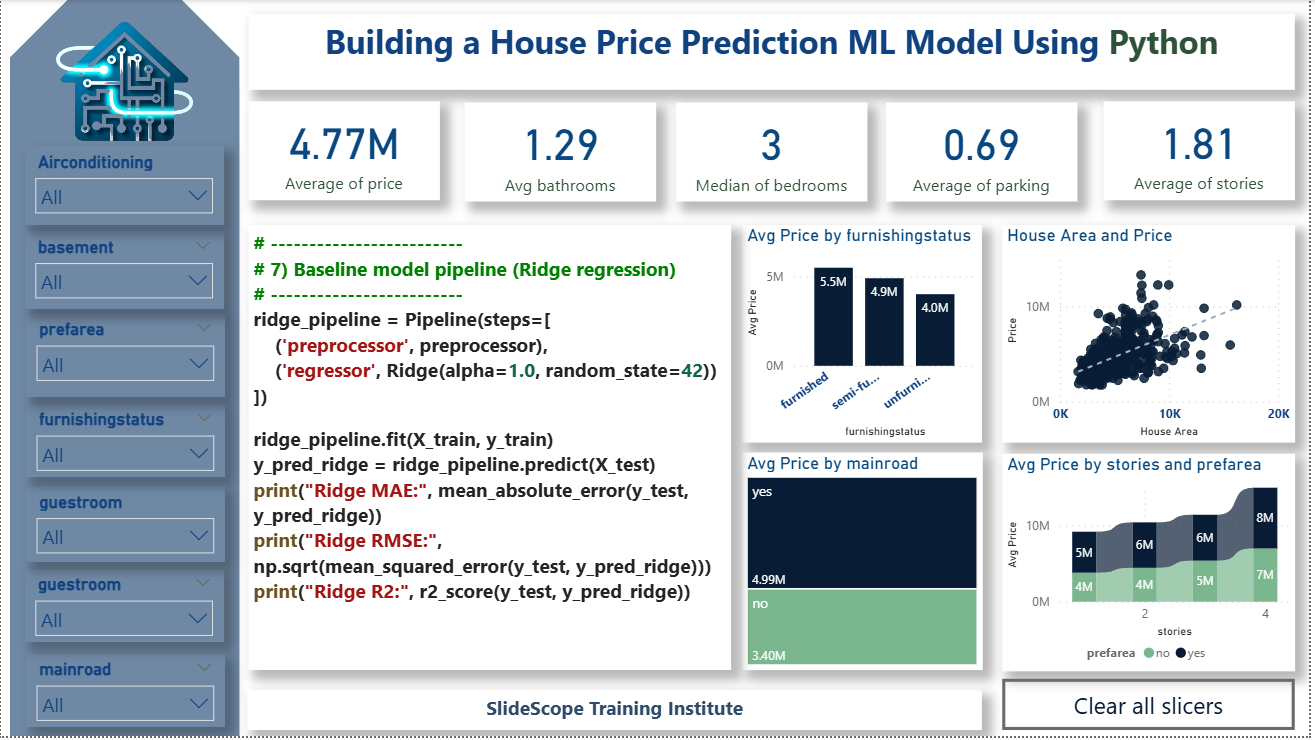
Quick overview of the steps
- Load data (CSV)
- Quick EDA and cleaning
- Feature engineering & encoding
- Train/test split and scale (where needed)
- Baseline model (Linear Regression)
- Stronger models: Random Forest & XGBoost + cross-validation
- Hyperparameter tuning (RandomizedSearchCV)
- Evaluate with MAE / RMSE / R²
- Save the best model
- Example: predict on new row
# 0. Install dependencies (if not already installed)
# !pip install pandas numpy scikit-learn xgboost joblib seaborn matplotlib

import pandas as pd
import numpy as np
import seaborn as sns
import matplotlib.pyplot as plt

from sklearn.model_selection import train_test_split, cross_val_score, RandomizedSearchCV
from sklearn.preprocessing import StandardScaler, OneHotEncoder
from sklearn.compose import ColumnTransformer
from sklearn.pipeline import Pipeline
from sklearn.metrics import mean_absolute_error, mean_squared_error, r2_score
from sklearn.linear_model import Ridge
from sklearn.ensemble import RandomForestRegressor
import xgboost as xgb
import joblib
import warnings
warnings.filterwarnings("ignore")

# -------------------------
# 1) Load dataset
# -------------------------
# NOTE: replace file_url with your actual CSV path if needed.
file_url = "data/housing.csv"  # <-- replace with actual CSV path like "/mnt/data/housing.csv"
# If the file is an image (the path above), replace it with the CSV path before running.
# Example: file_url = "/data/housing.csv"

df = pd.read_csv(file_url)
print("Loaded dataset shape:", df.shape)
display(df.head())

# -------------------------
# 2) Quick EDA & cleaning
# -------------------------
print("\nData types:\n", df.dtypes)
print("\nMissing values:\n", df.isna().sum())

# Basic statistics
display(df.describe())

# Convert typical yes/no to binary if present (some columns contain 'yes'/'no')
binary_cols = ['mainroad', 'guestroom', 'basement', 'hotwaterheating', 'airconditioning', 'prefarea']
for c in binary_cols:
    if c in df.columns:
        df[c] = df[c].map({'yes':1, 'no':0}).astype(int)

# If furnishingstatus is categorical with values like 'furnished','semi_furnished','unfurnished'
if 'furnishingstatus' in df.columns:
    df['furnishingstatus'] = df['furnishingstatus'].astype(str)

# Remove or cap obvious outliers if needed (example: price or area)
# Example: remove rows where price <= 0
df = df[df['price'] > 0].copy()

# -------------------------
# 3) Feature engineering
# -------------------------
# Create useful features: price per sqft, maybe interaction terms
if 'price' in df.columns and 'area' in df.columns:
    df['price_per_sqft'] = df['price'] / (df['area'].replace({0:np.nan}))
    df['price_per_sqft'] = df['price_per_sqft'].fillna(df['price_per_sqft'].median())

# Example: total_rooms could be bedrooms + bathrooms
if 'bedrooms' in df.columns and 'bathrooms' in df.columns:
    df['total_rooms'] = df['bedrooms'] + df['bathrooms']

# Drop columns that are identifiers (none in provided dataset), e.g. 'id'
# df = df.drop(columns=['id'], errors='ignore')

# -------------------------
# 4) Prepare features and target
# -------------------------
TARGET = 'price'
X = df.drop(columns=[TARGET])
y = df[TARGET].values

# Identify numeric and categorical columns
numeric_cols = X.select_dtypes(include=['int64','float64']).columns.tolist()
cat_cols = X.select_dtypes(include=['object','category']).columns.tolist()

print("Numeric columns:", numeric_cols)
print("Categorical columns:", cat_cols)

# -------------------------
# 5) Train / Test split
# -------------------------
X_train, X_test, y_train, y_test = train_test_split(X, y, test_size=0.2, random_state=42)
print("Train shape:", X_train.shape, "Test shape:", X_test.shape)

# -------------------------
# 6) Preprocessing pipelines
# -------------------------
# Numeric pipeline: scale
numeric_transformer = Pipeline(steps=[
    ('scaler', StandardScaler())
])

# Categorical pipeline: OneHot
categorical_transformer = Pipeline(steps=[
    ('onehot', OneHotEncoder(handle_unknown='ignore', sparse=False))
])

preprocessor = ColumnTransformer(transformers=[
    ('num', numeric_transformer, numeric_cols),
    ('cat', categorical_transformer, cat_cols)
], remainder='drop')

# -------------------------
# 7) Baseline model pipeline (Ridge regression)
# -------------------------
ridge_pipeline = Pipeline(steps=[
    ('preprocessor', preprocessor),
    ('regressor', Ridge(alpha=1.0, random_state=42))
])

ridge_pipeline.fit(X_train, y_train)
y_pred_ridge = ridge_pipeline.predict(X_test)
print("Ridge MAE:", mean_absolute_error(y_test, y_pred_ridge))
print("Ridge RMSE:", np.sqrt(mean_squared_error(y_test, y_pred_ridge)))
print("Ridge R2:", r2_score(y_test, y_pred_ridge))

# -------------------------
# 8) Random Forest (stronger baseline)
# -------------------------
rf_pipeline = Pipeline(steps=[
    ('preprocessor', preprocessor),
    ('regressor', RandomForestRegressor(n_estimators=200, max_depth=12, n_jobs=-1, random_state=42))
])
rf_pipeline.fit(X_train, y_train)
y_pred_rf = rf_pipeline.predict(X_test)
print("\nRandom Forest MAE:", mean_absolute_error(y_test, y_pred_rf))
print("Random Forest RMSE:", np.sqrt(mean_squared_error(y_test, y_pred_rf)))
print("Random Forest R2:", r2_score(y_test, y_pred_rf))

# -------------------------
# 9) XGBoost (often best for tabular)
# -------------------------
xgb_pipeline = Pipeline(steps=[
    ('preprocessor', preprocessor),
    ('regressor', xgb.XGBRegressor(n_estimators=300, learning_rate=0.05, max_depth=6, n_jobs=-1, random_state=42))
])
xgb_pipeline.fit(X_train, y_train)
y_pred_xgb = xgb_pipeline.predict(X_test)
print("\nXGBoost MAE:", mean_absolute_error(y_test, y_pred_xgb))
print("XGBoost RMSE:", np.sqrt(mean_squared_error(y_test, y_pred_xgb)))
print("XGBoost R2:", r2_score(y_test, y_pred_xgb))

# -------------------------
# 10) Cross-validation (on training set) for XGBoost
# -------------------------
cv_scores = cross_val_score(xgb_pipeline, X_train, y_train, cv=5, scoring='neg_mean_absolute_error', n_jobs=-1)
print("\nXGBoost CV MAE (mean):", -cv_scores.mean())

# -------------------------
# 11) Hyperparameter tuning with RandomizedSearchCV (example for XGBoost)
# -------------------------
param_dist = {
    'regressor__n_estimators': [100, 200, 400],
    'regressor__learning_rate': [0.01, 0.03, 0.05, 0.1],
    'regressor__max_depth': [4,6,8],
    'regressor__subsample': [0.6, 0.8, 1.0],
    'regressor__colsample_bytree': [0.6,0.8,1.0]
}
search = RandomizedSearchCV(
    xgb_pipeline,
    param_distributions=param_dist,
    n_iter=20,
    scoring='neg_mean_absolute_error',
    cv=3,
    random_state=42,
    n_jobs=-1,
    verbose=1
)
search.fit(X_train, y_train)
print("\nBest params:", search.best_params_)
best_model = search.best_estimator_
y_pred_best = best_model.predict(X_test)
print("Tuned XGB MAE:", mean_absolute_error(y_test, y_pred_best))
print("Tuned XGB RMSE:", np.sqrt(mean_squared_error(y_test, y_pred_best)))
print("Tuned XGB R2:", r2_score(y_test, y_pred_best))

# -------------------------
# 12) Feature importance (approximate using tree model)
# -------------------------
# To view feature importances we need column names after preprocessing
ohe = best_model.named_steps['preprocessor'].named_transformers_['cat'].named_steps['onehot']
ohe_cols = ohe.get_feature_names_out(cat_cols) if len(cat_cols)>0 else []
all_feature_names = list(numeric_cols) + list(ohe_cols)
importances = best_model.named_steps['regressor'].feature_importances_
fi = pd.Series(importances, index=all_feature_names).sort_values(ascending=False).head(20)
print("\nTop feature importances:\n", fi)
fi.plot(kind='barh', figsize=(8,6)); plt.gca().invert_yaxis(); plt.show()

# -------------------------
# 13) Save the best model
# -------------------------
model_path = "housing_price_model_xgb.joblib"
joblib.dump(best_model, model_path)
print(f"Saved model to {model_path}")

# -------------------------
# 14) Example: predict on a new sample (fill values as needed)
# -------------------------
sample = {
    'area': 9000,
    'bedrooms': 4,
    'bathrooms': 3,
    'stories': 2,
    'mainroad': 1,
    'guestroom': 0,
    'basement': 0,
    'hotwaterheating': 0,
    'airconditioning': 1,
    'parking': 2,
    'prefarea': 1,
    'furnishingstatus': 'furnished'
}
sample_df = pd.DataFrame([sample])
predicted_price = best_model.predict(sample_df)[0]
print("Predicted price for sample:", round(predicted_price, 0))
Step-by-step explanation
1) Load the data
- The script expects a CSV file. I left
file_urlpointing to the path available in your conversation history — change it to your CSV path (e.g.,/mnt/data/housing.csvor a URL) before running. - We print head(), dtypes, and missing values to understand data quality.
2) Clean & basic fixes
- Convert
yes/nobinary columns to0/1integers to make them ML-ready. - Normalize
furnishingstatusto strings and ensure no nulls remain. - Remove rows with non-positive price values (simple outlier removal).
3) Feature engineering
- Create
price_per_sqft(price/area), andtotal_rooms(bedrooms + bathrooms). These derived features often carry strong signal. - You can add more domain features: e.g., area bins, interaction terms (area × prefarea) or log(price).
4) Split data
- Typical 80/20 train/test split. We preserve a test set to estimate real-world performance.
5) Preprocessing pipeline
- Numeric features:
StandardScaler(center + scale) — helps linear models and sometimes tree models. - Categorical features:
OneHotEncoder(handle_unknown='ignore').
We use ColumnTransformer so preprocessing is consistently applied during training and future inference.
6) Baselines
- Ridge regression provides a quick linear baseline.
- RandomForest and XGBoost are commonly strong for tabular regression. We train them and compare MAE / RMSE / R² on the test set.
7) Cross-validation
- We run cross-validation on training data to get a robust estimate and reduce overfitting risk.
8) Hyperparameter tuning
RandomizedSearchCVprovides efficient search of hyperparameters for XGBoost. We tune n_estimators, learning_rate, max_depth, subsample and colsample_bytree.
9) Feature importance
- After fitting a tree model, we extract feature importances (post-one-hot) and display the top contributors for interpretation. This helps you understand which features to prioritize or engineer further.
10) Save model & example prediction
- Use
joblib.dumpto persist the fitted pipeline (preprocessing + model) so you can load it later and call.predict()on new rows. - Example shows how to structure a new sample and obtain a predicted price.
Practical notes & tips
- Log-transform price: If price distribution is highly skewed, try modeling
log(price)and exponentiate predictions. This stabilizes variance and improves RMSE for outliers. - Outliers: Inspect highest-priced homes — optionally cap or remove them for a better model.
- Feature interactions: Try polynomial features or manual interactions like
area × prefarea. - Target leakage: Ensure no target-leaky column is used.
- Model explainability: Use SHAP for detailed instance-level explanations (I recommend SHAP for stakeholder buy-in).
- Productionization: Save the pipeline and serve using Flask/FastAPI or export to a model-serving platform.
- Monitoring: Track prediction drift; re-train periodically as market conditions change.
- Hyperparameter tuning: For production, consider Bayesian optimization (Optuna) for better efficiency.
Code Explanation
# -------------------------
# 6) Preprocessing pipelines
# -------------------------
# Numeric pipeline: scale
numeric_transformer = Pipeline(steps=[
    ('scaler', StandardScaler())
])
creates a pipeline for numeric features that automatically applies StandardScaler to them.
What is StandardScaler?
StandardScaler() transforms each numeric column so that:
Mean = 0
Standard deviation = 1
This helps many machine learning algorithms perform better, especially:
Linear Regression
Logistic Regression
KNN
SVM
Neural Networks
Why use a pipeline?
✔ Keeps preprocessing organized
✔ Ensures scaling happens only on numeric columns
✔ Avoids data leakage
✔ Fits and transforms data automatically inside the model workflow
In short:
This pipeline tells the model:
👉 “For all numeric columns, scale them properly before training.”
2. Categorical Pipeline
categorical_transformer = Pipeline(steps=[
    ('onehot', OneHotEncoder(handle_unknown='ignore', sparse=False))
])
What this does
This pipeline is applied to all categorical columns.
OneHotEncoder
- Converts each category into 0/1 dummy columns
Example:"furnished"→[1,0,0] handle_unknown='ignore'
→ If new categories appear in test data, the model will ignore them instead of breaking.sparse=False
→ Returns a dense array, easier to work with.
So this pipeline tells the model:
👉 “Convert all categorical columns into one-hot encoded numeric columns.”
2. ColumnTransformer
preprocessor = ColumnTransformer(transformers=[
    ('num', numeric_transformer, numeric_cols),
    ('cat', categorical_transformer, cat_cols)
], remainder='drop')
What this does
ColumnTransformer applies different transformations to different sets of columns.
Breakdown
'num'→ Applynumeric_transformer(scaling) to numeric_cols'cat'→ Applycategorical_transformer(one-hot encoding) to cat_colsremainder='drop'→ Drop all other columns not listed
Why this is important
✔ Keeps preprocessing clean
✔ Ensures correct transformation for each column type
✔ Prevents mixing of numeric + categorical operations
✔ Gets integrated directly into the ML model pipeline
In short
You have built an automated preprocessing system:
Numeric Columns → Scaled (StandardScaler)
Categorical Columns → One-Hot Encoded
Everything Else → Dropped
This ensures your machine learning model receives clean, numeric, properly preprocessed data every time—training or prediction.
Here’s a short, clear explanation of the Ridge Regression pipeline code:
✅ Explanation of the Ridge Regression Pipeline
This section builds a baseline Machine Learning model using Ridge Regression inside a Pipeline. A pipeline helps us combine preprocessing + model training in one clean workflow.
1️⃣ Creating the pipeline
ridge_pipeline = Pipeline(steps=[
    ('preprocessor', preprocessor),
    ('regressor', Ridge(alpha=1.0, random_state=42))
])
✔ What happens here?
- preprocessor
- Applies scaling to numeric columns
- Applies OneHotEncoding to categorical columns
- Ensures the model receives clean, numeric input
- regressor = Ridge()
- A linear regression model with L2 regularization
- Reduces overfitting
alpha=1.0controls regularization strengthrandom_state=42ensures reproducibility
This pipeline ensures the exact same transformations used during training are applied during prediction.
2️⃣ Train the model
ridge_pipeline.fit(X_train, y_train)
The pipeline:
✔ Fits the preprocessor on training data
✔ Transforms the training data
✔ Trains the Ridge Regression model
3️⃣ Make predictions
y_pred_ridge = ridge_pipeline.predict(X_test)
- Automatically applies preprocessing on the test set
- Then makes predictions
4️⃣ Evaluate model performance
print("Ridge MAE:", mean_absolute_error(y_test, y_pred_ridge))
print("Ridge RMSE:", np.sqrt(mean_squared_error(y_test, y_pred_ridge)))
print("Ridge R2:", r2_score(y_test, y_pred_ridge))
✔ Metrics:
- MAE (Mean Absolute Error):
Average error in the same units as price (₹) - RMSE (Root Mean Square Error):
More sensitive to large errors - R² Score:
How much variance in house price the model explains- 1.0 → perfect
- 0 → useless model
🎯 Summary
This block creates a clean, structured machine learning pipeline that:
- Preprocesses data automatically
- Trains a Ridge Regression model
- Predicts house prices
- Evaluates accuracy with industry-standard metrics
__________________________
Here’s the insight from your Ridge Regression model results, explained in a simple and meaningful way:
✅ Model Performance Insights (Ridge Regression)
1️⃣ MAE ≈ 5.06 Lakhs
This means that on average, the model’s house price predictions are ₹5,06,000 off from the actual price.
- For real-estate datasets where prices often range from 50 lakhs to several crores, this is a reasonable and expected error margin.
- MAE gives a “real-world” error understanding.
2️⃣ RMSE ≈ 7.69 Lakhs
RMSE penalizes larger errors more heavily.
- A higher RMSE compared to MAE shows the model occasionally makes large mistakes for certain properties (possibly luxury or extreme price outliers).
3️⃣ R² ≈ 0.883 (88.3%)
This is a strong result.
It means:
- The model explains 88.3% of the variation in house prices.
- Only 11.7% of the price variation is unexplained.
- This indicates that the features used (area, bedrooms, bathrooms, amenities, etc.) are highly predictive.
In real-estate modeling, an R² value above 0.80 is considered very good.
📌 Overall Insight
Your Ridge Regression model is performing quite well, showing:
- High accuracy (R² = 88.3%)
- Reasonable error levels given the natural price variability
- Stable predictions due to Ridge regularization (helps avoid overfitting)
However…
🎯 There is still room to improve, especially to reduce errors:
- Try RandomForestRegressor
- Try XGBoost
- Perform hyperparameter tuning
- Remove/extreme outliers
- Apply log transformation on price